Yes. You sign in with your Whop account once and agree to each campaign’s terms yourself; every other step can run by itself. Bolqan does them in one click on the Eruption and Volcano plans: it finds a campaign that fits, joins it with your account, reads the rules, gets the videos, makes clips that follow the rules, posts them on your channels and submits each post within 30 minutes of posting. It runs on Bolqan’s servers, with nothing to install, so it keeps going with your phone and computer off.
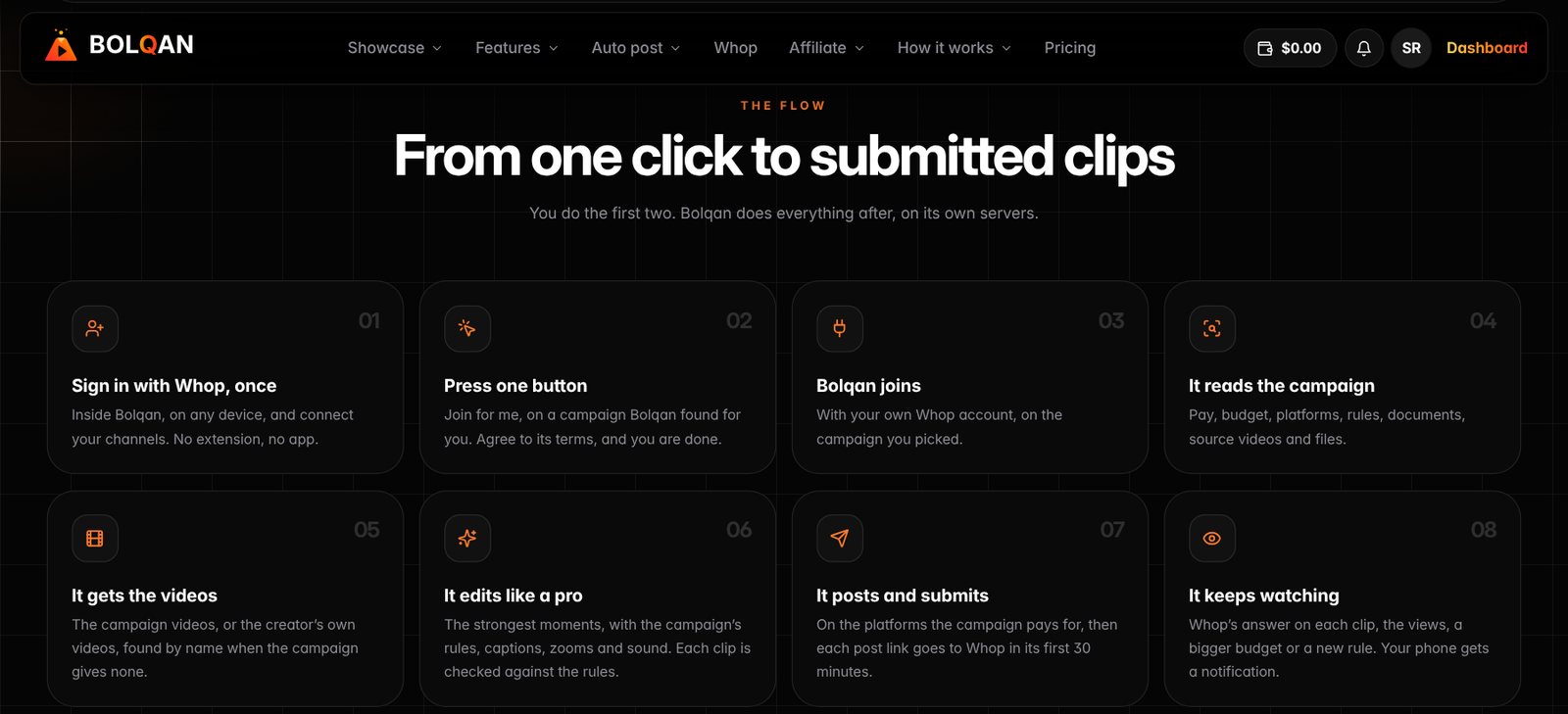
Every step of a campaign, and who does it
| Step | By hand | With Bolqan |
|---|---|---|
| 1. Find a campaign worth clipping | Scroll the campaign list and compare pay, budget and payouts | “Find me a campaign” suggests one that pays, already paid clippers and still has budget |
| 2. Join and agree to the terms | You join and agree | You agree to the terms; Bolqan joins with your account (Join for me) |
| 3. Read the rules and files | Read the page, the documents and every requirement | Reads the pay, budget, platforms, rules, documents, sources and files |
| 4. Get the source videos | Download them from Drive, Dropbox or YouTube links | Collects them by itself; when a campaign gives none, finds the creator’s videos by name |
| 5. Make clips that follow the rules | Cut, caption, add the required text, tags and watermark | Pro edits with the campaign’s length, text, tags and watermark; each finished clip is checked against the rules |
| 6. Post on allowed platforms | Upload to each account yourself | Posts only where the campaign pays, on the channels you connected |
| 7. Submit within 30 minutes | Paste every post link in time | Submits each link within 30 minutes of posting, drafts that need approval included |
| 8. Follow the review and the budget | Check back every day | Watches approvals, rejections with the reason, views, budget and rule changes, and sends you a notification |
What different tools cover
An AI clipping tool covers step 5, the editing. Some also post on a schedule, which is step 6. Finding and joining a campaign, reading its rules, getting the sources, submitting in time and following the review are left to you unless a tool says it does them. Check each tool’s own pages to see what it covers.
How to automate a campaign with Bolqan
- Sign in with your Whop account, once
Inside Bolqan, on any phone, tablet or computer, and connect the channels to post on. Nothing to install: no extension, no app. You type your email and the code Whop sends you yourself; Bolqan keeps the sign-in encrypted on its servers. - Press one button
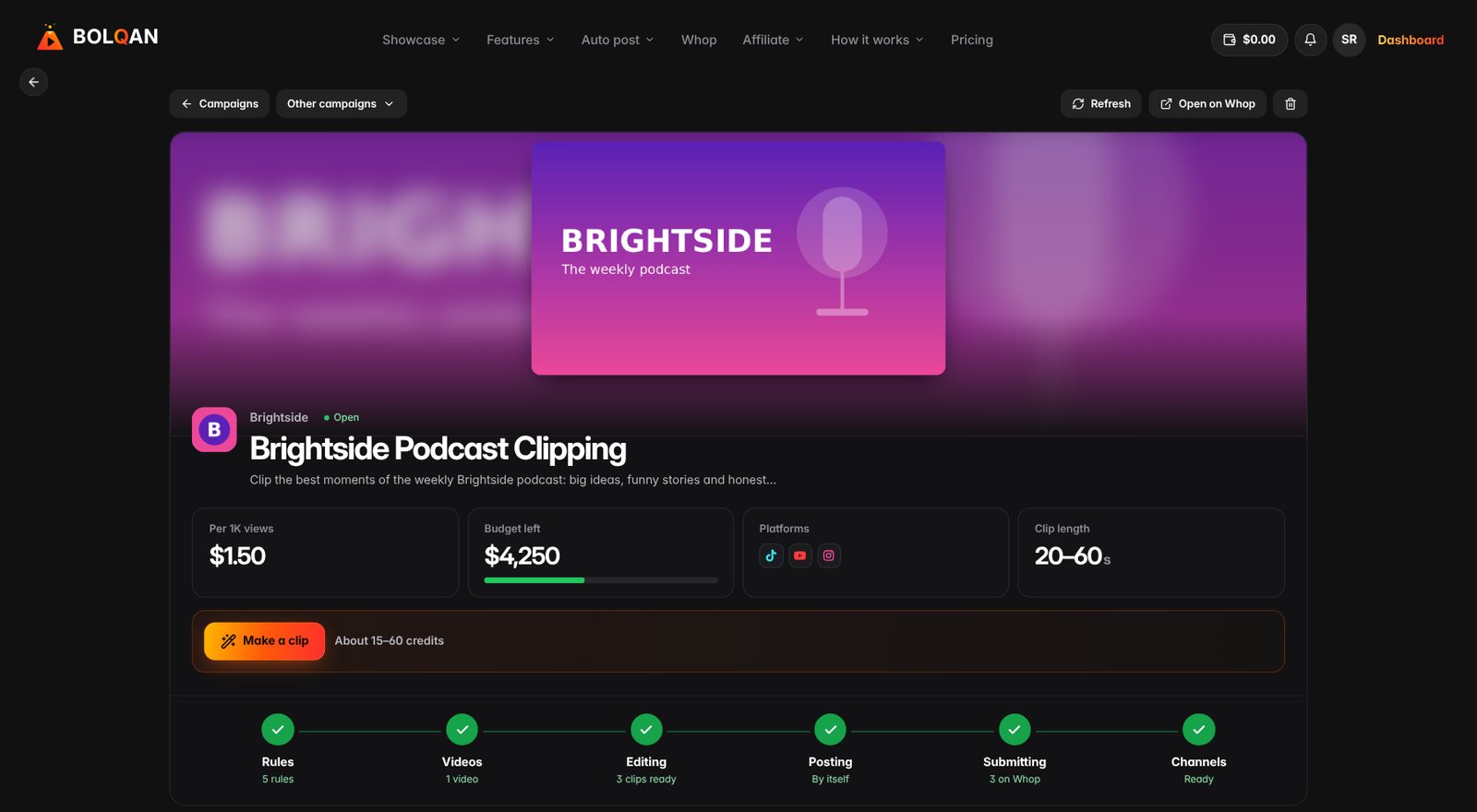
Join for me, on a campaign Bolqan found for you: it pays, it already paid clippers and it still has budget. Agree to the campaign’s terms, and Bolqan does the rest. - Bolqan joins and reads the campaign
It joins with your account, then reads everything: pay per 1,000 views, budget, allowed platforms, rules, documents, source videos and files. - It gets the videos
The campaign’s own videos and folders. When a campaign gives none, Bolqan looks up the creator by name and finds their videos. - It makes pro edits that follow the rules
The strongest moments, edited the way a pro editor would: layout, animated captions, zooms and sound, with the campaign’s length, text, tags and watermark. Every finished clip is checked against the rules before it goes out. - It posts and submits
Only on the platforms the campaign pays for, on your channels, then it submits each post link to the campaign within 30 minutes of posting. - It keeps watching
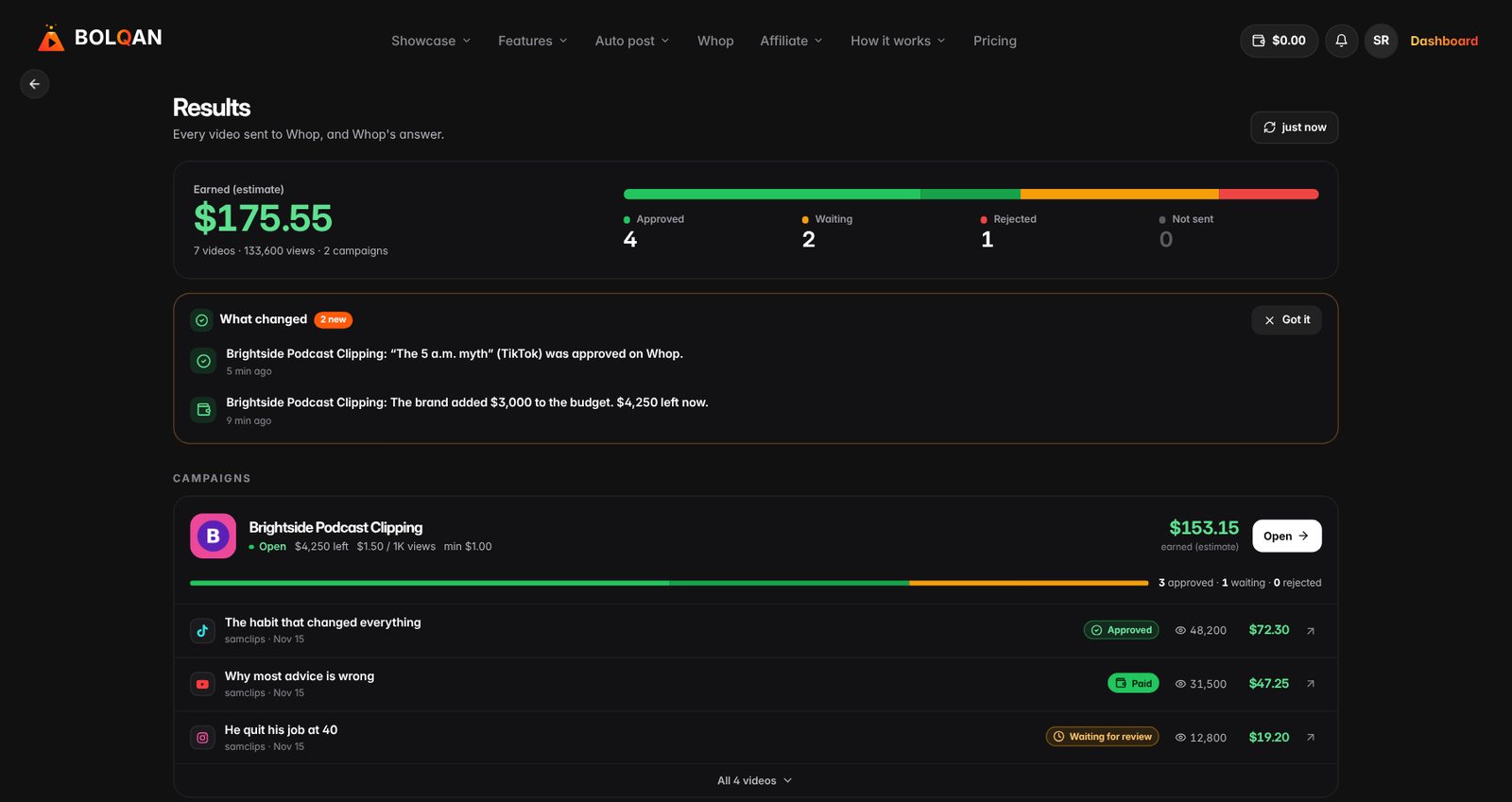
Whop’s review of each clip (approved or rejected, with the reason), the views and the estimated earnings, a bigger budget or a new rule. A notification reaches your phone when something needs you.
What stays in your hands
- Your Whop account. You sign in yourself, inside Bolqan, with the code Whop sends you. Bolqan never asks for a password.
- Each campaign’s terms. You agree to them. Bolqan never accepts terms or payments for you.
- Your channels. Clips go out only on the accounts you connected through each platform’s official login.
- The price. Bolqan shows what one clip costs before it makes anything, and makes nothing until you agree.
- Disconnect. One click deletes the Whop sign-in.
Staying within the rules
Campaigns pay for clips made from their own sources that follow every requirement, posted on allowed platforms from your own accounts and submitted in time. Bolqan works only on the campaigns you start, with your own accounts. It does not buy views, fake engagement or repost other clippers’ edits. Read each campaign’s terms and the Content Rewards terms: you stay responsible for following them.
Your devices can be off
Everything runs on Bolqan’s servers. Close Bolqan, turn off your phone, computer or tablet: the campaign keeps going. Open Bolqan on any device, anywhere in the world, to follow it. Turn on notifications once, and Bolqan tells you when a campaign needs you, when a clip is submitted and when Whop approves or rejects it.
What it costs
| Eruption | Volcano | |
|---|---|---|
| Price | $16 a month | $49 a month |
| Posting fee | $1 a month | $2.50 a month |
| New campaigns Bolqan can read | 10 a day, 30 a month | 50 a day |
| Clips a month (20 s each) | 45 | 150, plus 240 gift credits |
| Posts | Up to 90 a month | Up to 250 a month |
| Accounts on each platform | Up to 7 | Up to 50 |
Sources
Checked on November 1, 2026.
- Whop Docs: Content Rewards
- Content Rewards Academy (how campaigns and submissions work)
- Content Rewards Terms (updated October 4, 2026)
Frequently asked questions
Can Whop clipping campaigns be automated?
Yes. You sign in with Whop once and agree to each campaign’s terms; Bolqan does every other step in one click: it finds and joins a campaign, reads the rules, gets the videos, edits, posts and submits each post within 30 minutes of posting.
Is there an AI that joins Whop campaigns and posts the clips for me?
Bolqan does it on the Eruption and Volcano plans. One click and Bolqan runs a whole Whop clipping campaign for you: it finds a campaign that fits, joins it, reads the rules, gets the videos, makes pro edits, posts them on your channels and submits each post, on its own servers. Nothing to install.
Do I need an extension, an app or a bot on my computer?
No. Nothing to install. You sign in with Whop inside Bolqan, on any phone, tablet or computer, and Bolqan does every step on its own servers.
Do I need to keep my computer on?
Everything runs on Bolqan’s servers. Close Bolqan, turn off your phone, computer or tablet: the campaign keeps going. Open Bolqan on any device, anywhere in the world, to follow it.
Does Bolqan accept campaign terms for me?
No. You agree to each campaign’s terms yourself. Bolqan never accepts terms or payments for you.
What happens when Whop rejects a clip?
Bolqan shows the reason Whop gives and sends you a notification, so you can see what to change.